
Aimerce Blogs
How to setup Pinterest Ads Tracking
20 August 2025
How to setup Pinterest Ads Tracking
Why Aimerce

Pinterest is gaining traction as a popular platform for brands, but many marketers still don't have the tracking they need. That’s about to change! 🎉
How to connect your Pinterest Conversion Tracking to Aimerce
Step 1: Navigate to Pinterest Conversion Tracking Setup in Aimerce
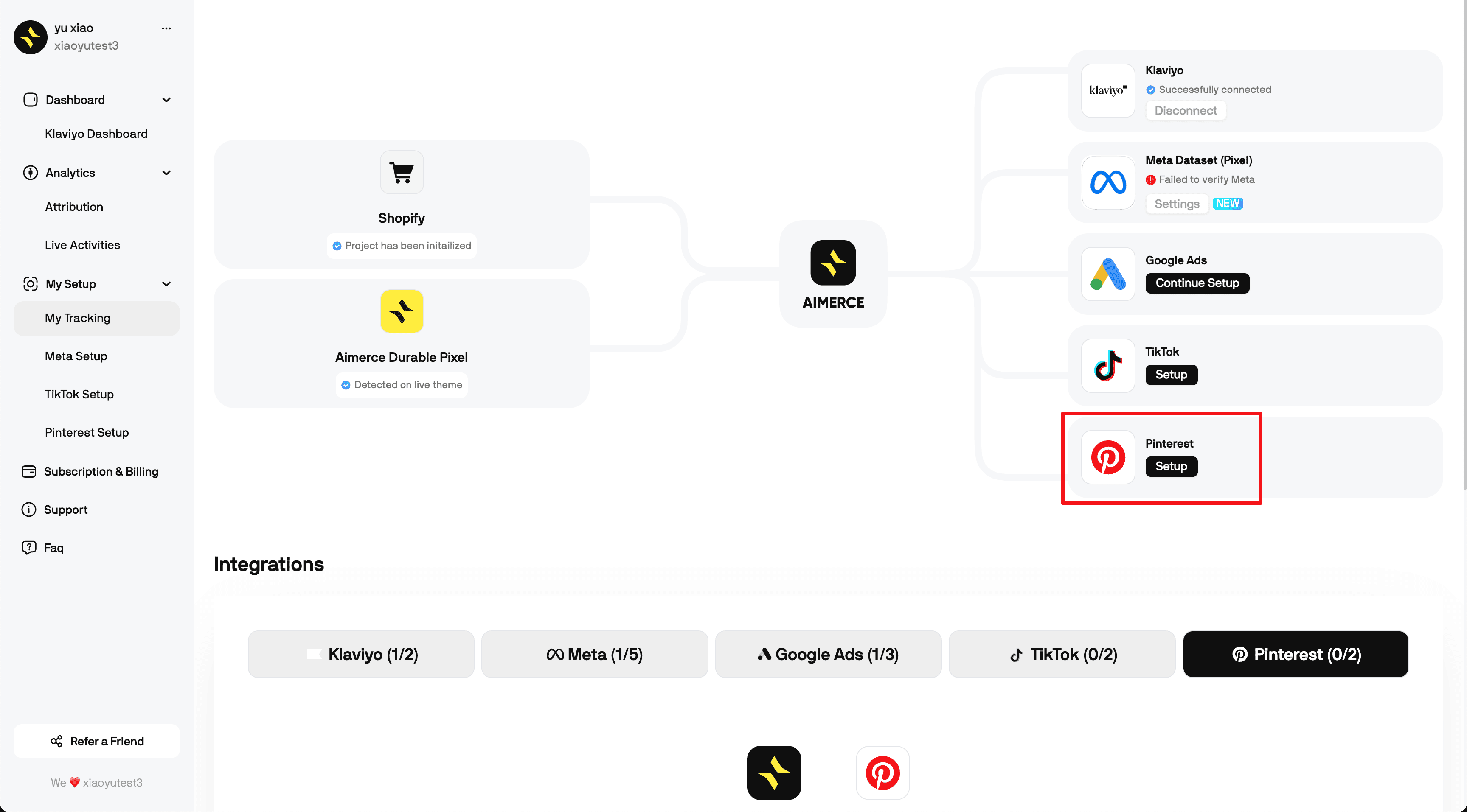
You can see what we required are Pinterest Ad Account ID and Pinterest Access Token
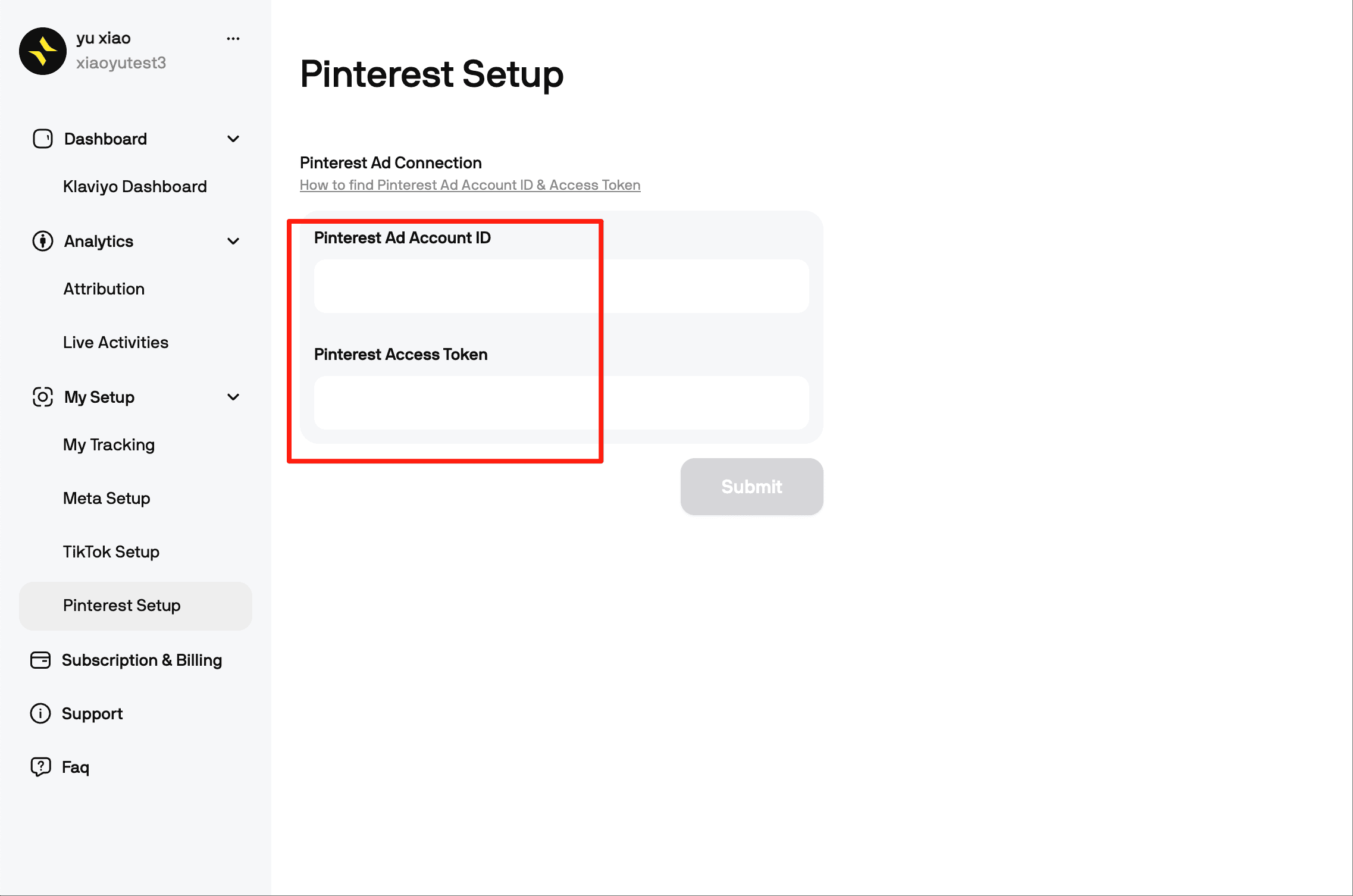
Step 2: Get Your Pinterest Ad Account ID and Access Token
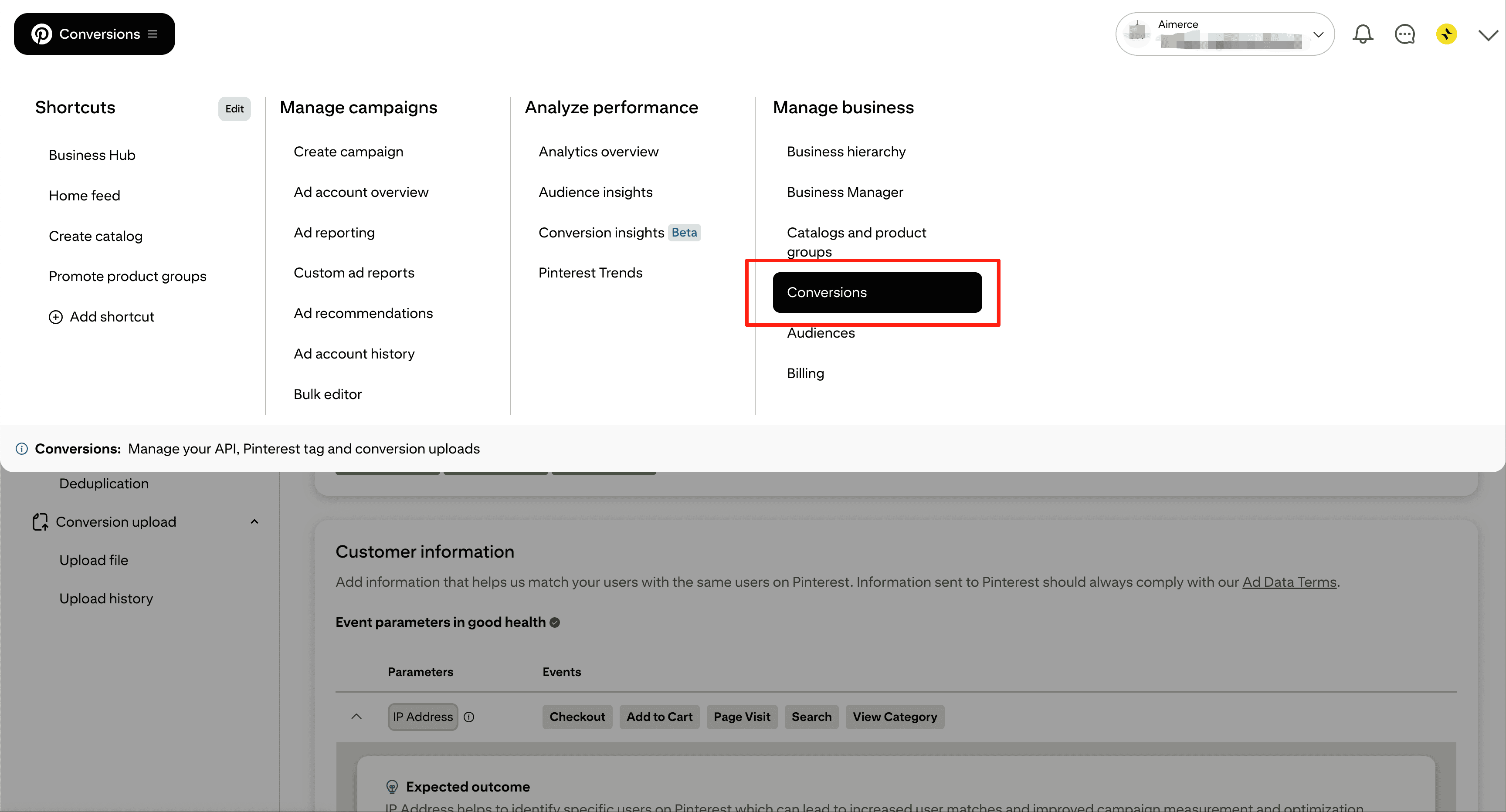
- Log in to Pinterest Ads
- Go to Manage business -> Conversions
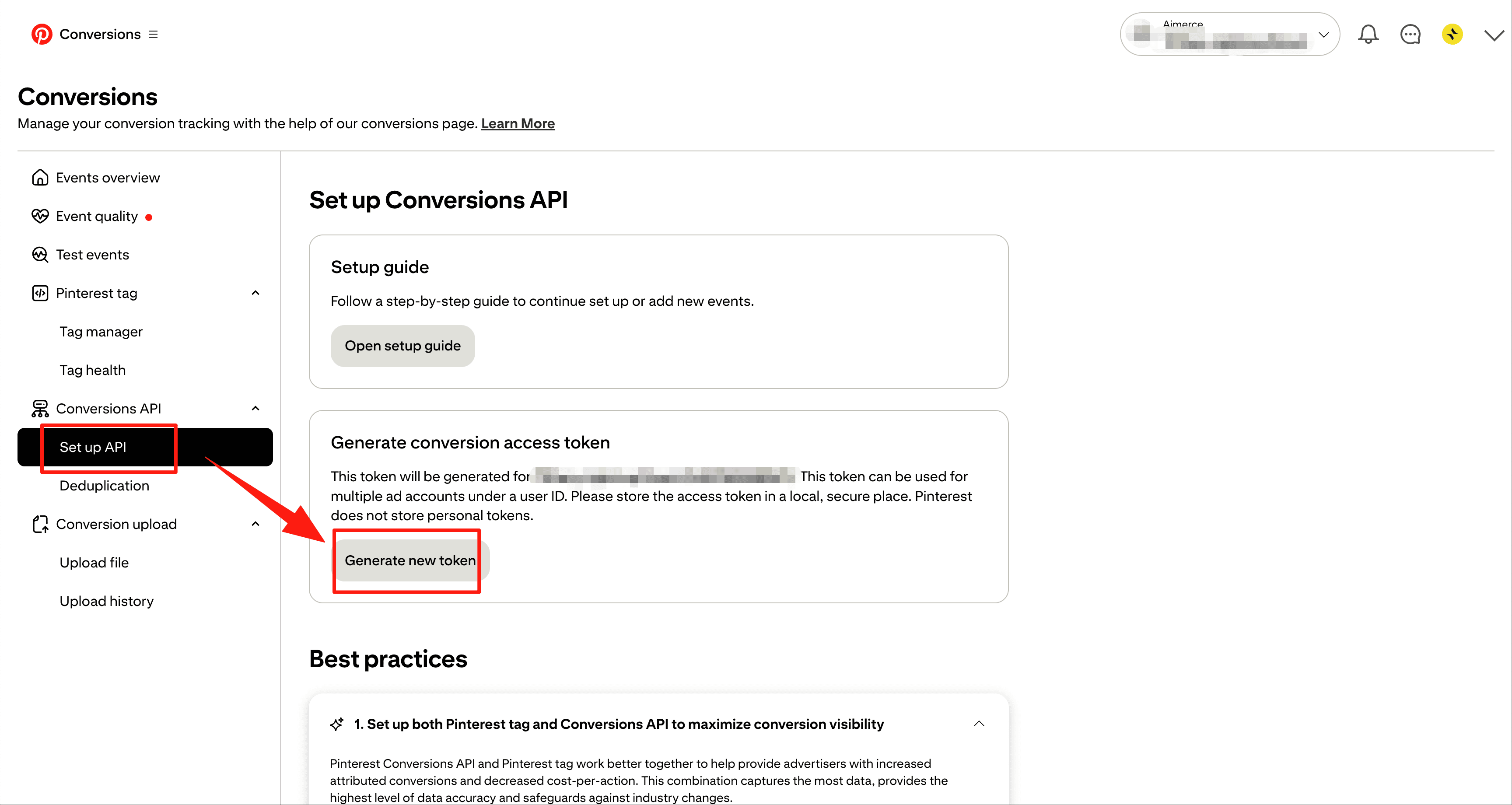
- Click Set up API in left menu
- Click Generate new token
Step3: Copy to Aimerce Dashboard
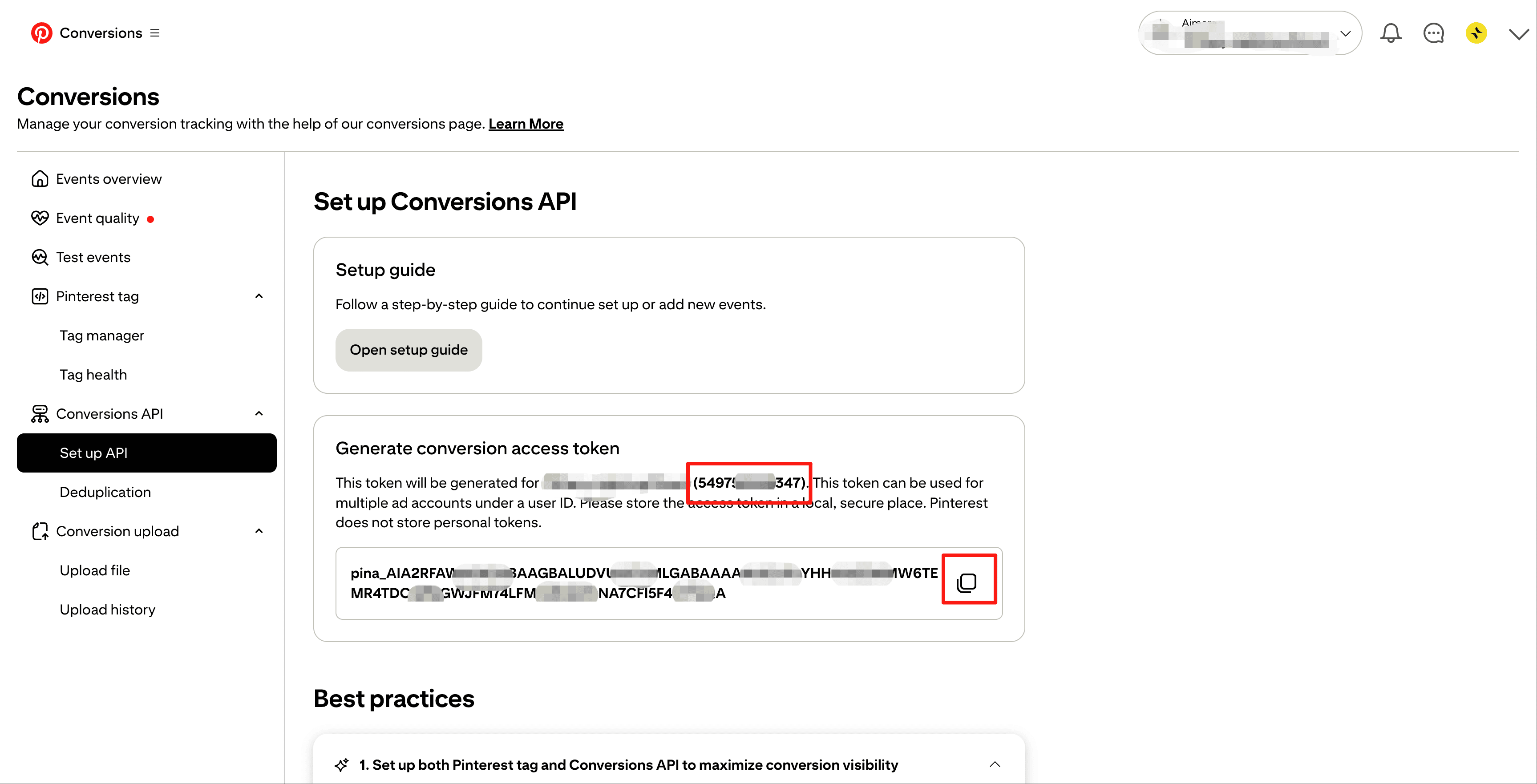
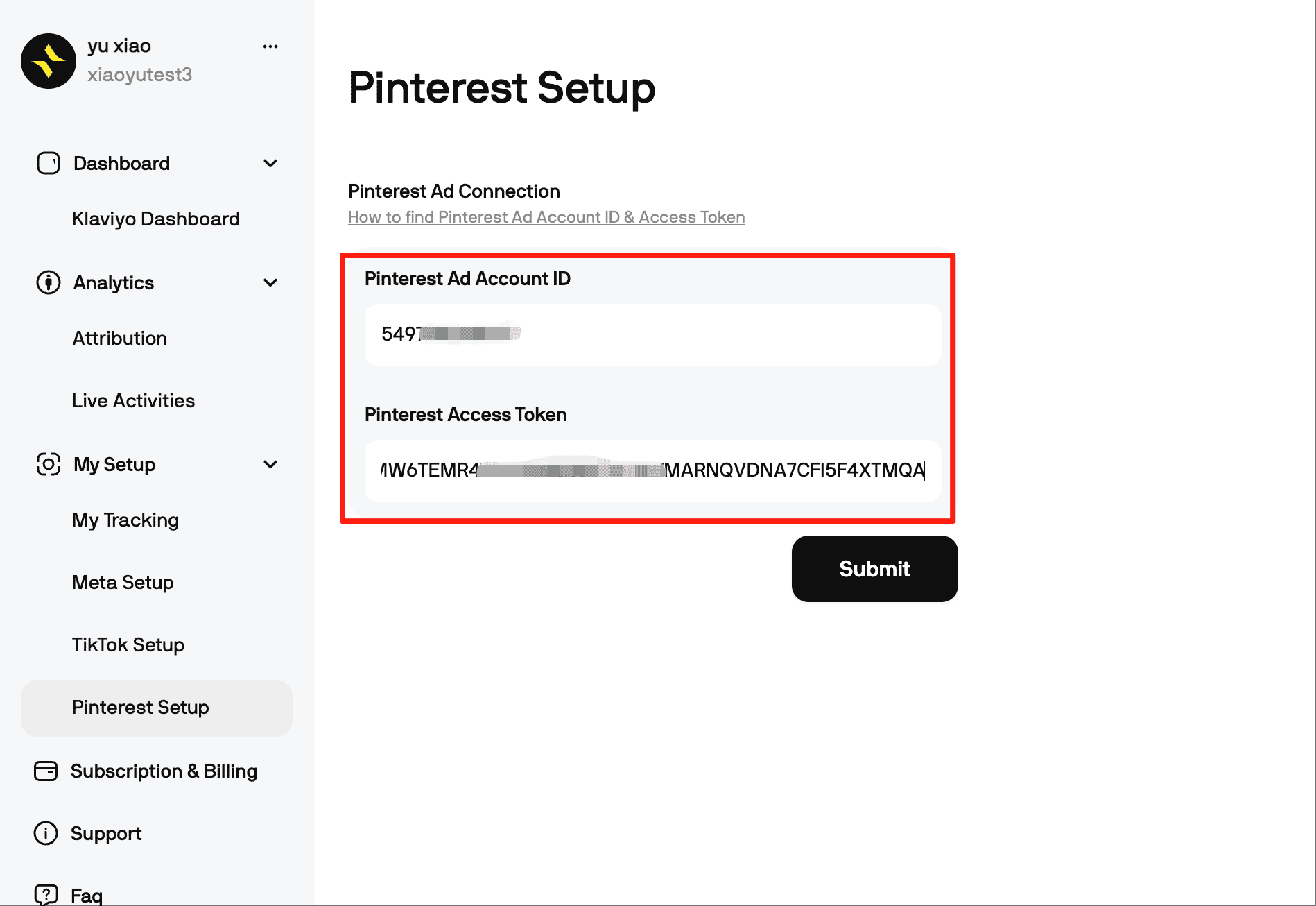
Once submit successfully, Pinterest will start receiving server side events instantly.
And there you have it! You're all set!
If you're expanding on Pinterest but your data isn't aligned, now is the perfect time to tidy it up. The setup is up and running and takes less than five minutes!
Aimerce Pixel
Server-side tracking and accurate first-party data to increase marketing performance.
5/5
Trstpilot
5/5
Shopify
5/5
G2
More Articles
Meta Ads
Meta Is Retiring Legacy Campaign Types in 2026 (ASC and AAC Deprecation)
Meta is deprecating its legacy Advantage Shopping Campaigns and Advantage Audience Campaigns in Marketing API v25.0, targeted for Q1 2026. Here is what changes for DTC marketing teams, what to confirm with your developer or agency, and why conversion signal quality determines whether your migrated campaigns perform.
7 May 2026
Meta Ads
Meta Location Fees Start July 1, 2026 Guide for Marketers Targeting Europe
Starting July 1, 2026, Meta adds 2 to 5 percent location fees on ad impressions delivered in six European countries. Here is what changes, what it costs, and what to do before Q3 planning locks in.
30 April 2026
Meta Ads, First-Party Data 101
The Right Order to Test Meta Ads
Most Meta advertisers test the wrong things first. Learn the correct testing hierarchy, from offer to hooks.
3 April 2026
Sign Up for a
30-Day Aimerce Pixel Free Trial
30-Day Aimerce Pixel Free Trial
Sign Up Using Your Shopify Account Email
*Money back guaranteed.
Aimerce pays for itself or you don’t pay anything.